

How to add multiple pigeons at once?
Do you already have young pigeons chipped and numbered in sequence? Adding them one by one is now a thing of the past!
Introducing Multiple Pigeon Add — our new feature in the Pedigree App that saves you time. Easily add multiple pigeons with sequential (same series) numbers at once.
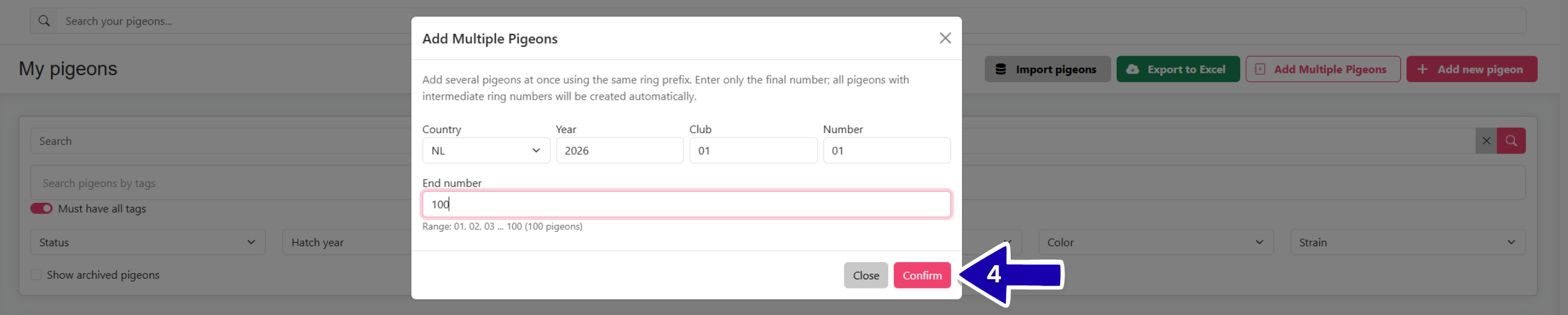
You can add up to 100 pigeons at once. Here is how you do it:
1. On the »My Pigeon« page, click on the »Add Multiple Pigeons« button. 
2. In the first row of boxes, fill in the first pigeon that you want to add.
3. In the »End number« row, write the end number of the sequence. Under the row, you will see the number of pigeons that will be added.

4. Click »Confirm«.
5. You will see imported data.
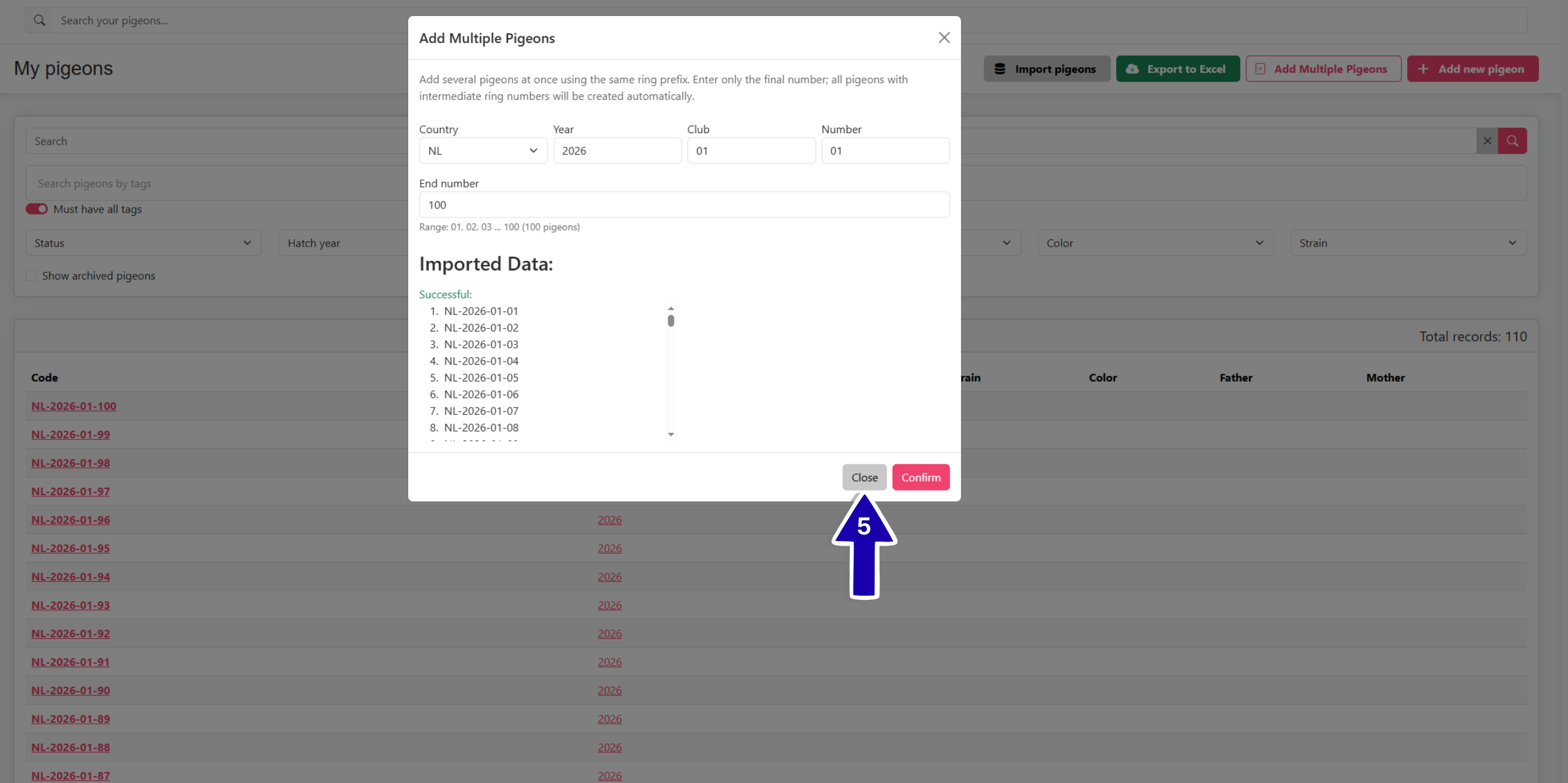 If you want to add more pigeons, change the end number and click »Confirm« again. If you have added all the pigeons that you wanted, you can close the pop-up window.