

How to add a pigeon?
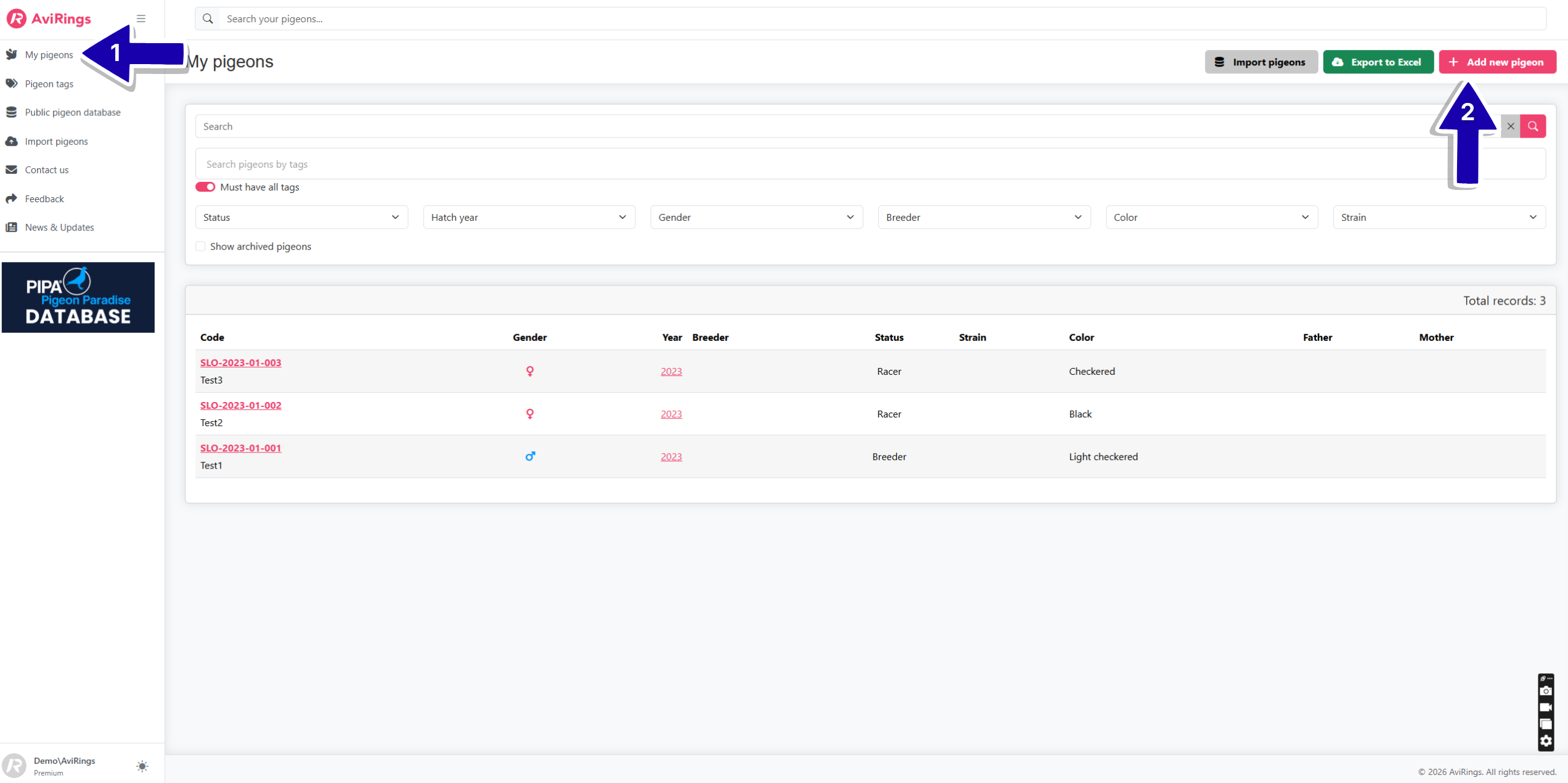
To add a pigeon, navigate to the left menu and click on the tab "My Pigeons". When you want to add a new pigeon, simply click on the pink button ‘Add new pigeon’ in the upper right corner.
You then enter its details (code, nickname, color, breeder, strain ...) and save them using the green "Save" button at the top or bottom right.
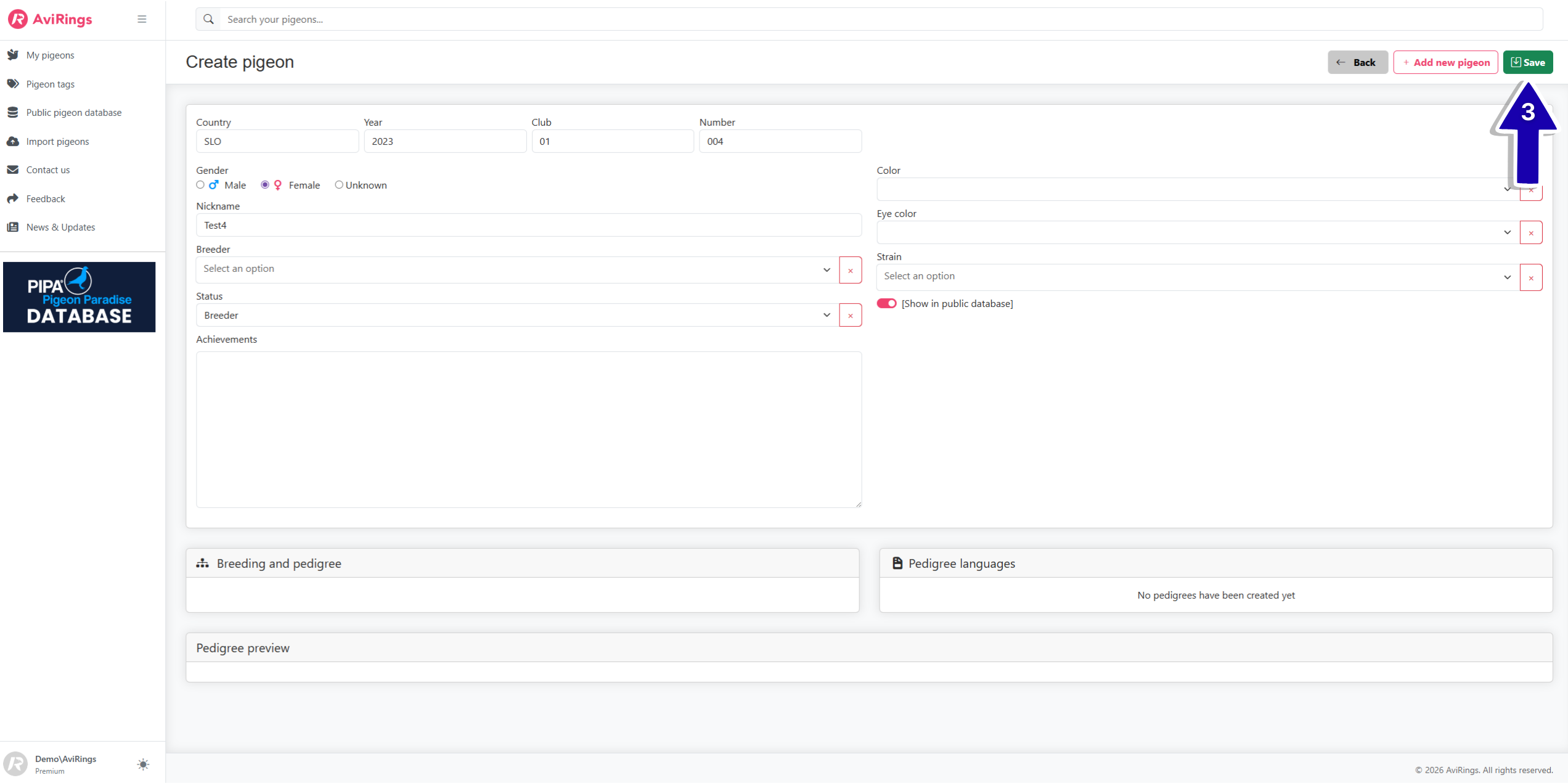
Once the basic information is saved, you can start adding the parents and building the pedigree.
In the tab ‘My Pigeons’, you will always have an overview of all the pigeons you have entered into the system.
Are you wondering, if you can add multiple pigeons at once? Yes, you can. Instructions here.