
Pigeon Tags: Organize Your Pigeons Efficiently
Pigeon Tags are a powerful feature that helps you organize and manage your pigeons more effectively. You can assign tags to individual pigeons and then sort or filter them based on your needs.
What are 'Pigeon Tags' and how to create one?
Pigeon Tags in the AviRings Pedigree App are an analytical and organizational tool designed for users who want better-structured data.
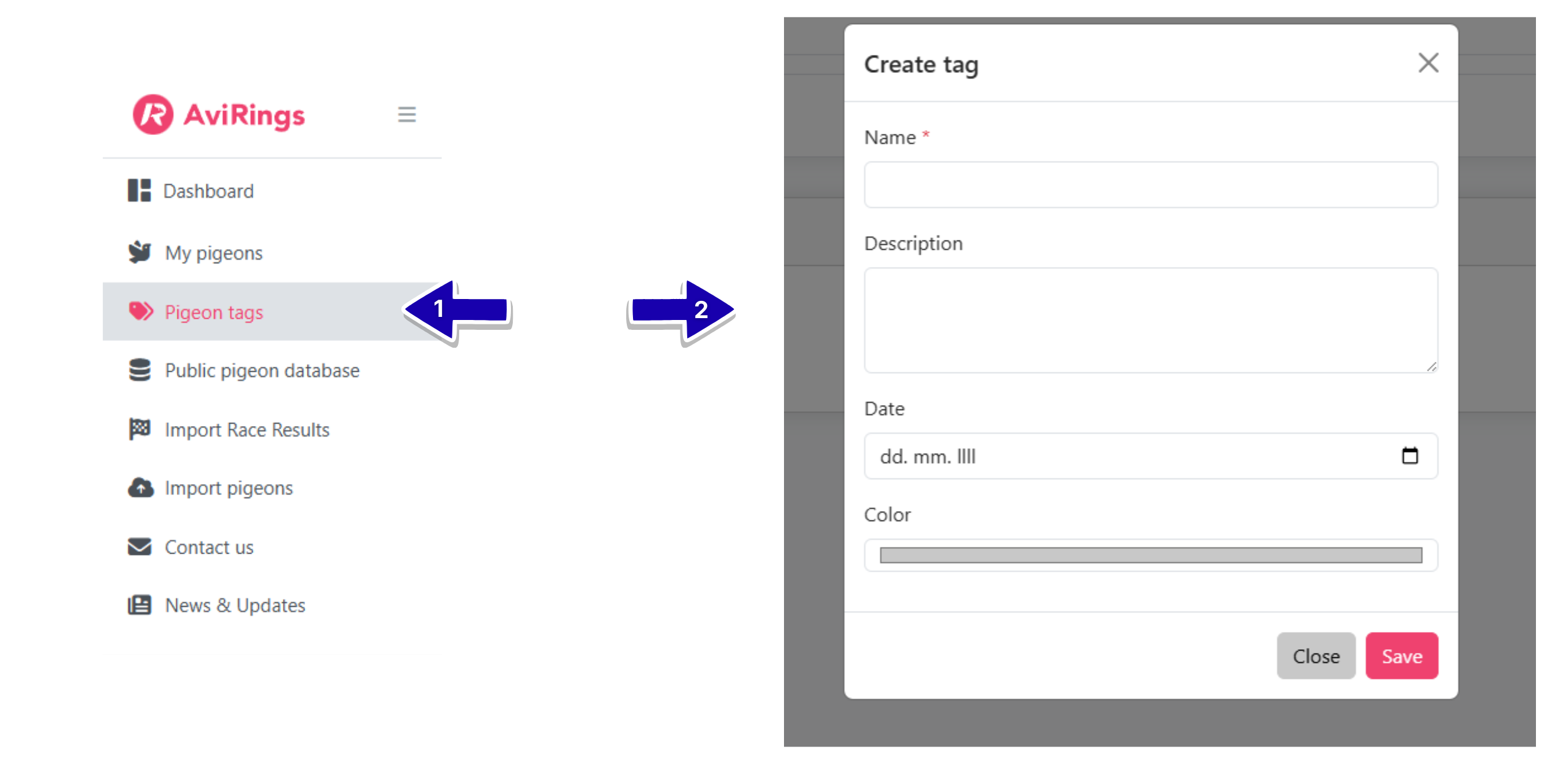
In the left-hand menu, you’ll find the “Pigeon Tags” section, where you can create new tags. Each tag creation includes:
- Name
- Description
- Date
- Color
These settings allow you to easily distinguish between different tags.
You can use tags to categorize pigeons based on various criteria, such as vaccinations, lofts, one loft races, or anything else that helps you manage your pigeons more efficiently.
How to Add a Tag to the Pigeon
To add a tag to a pigeon:
-
Click on a pigeon.
-
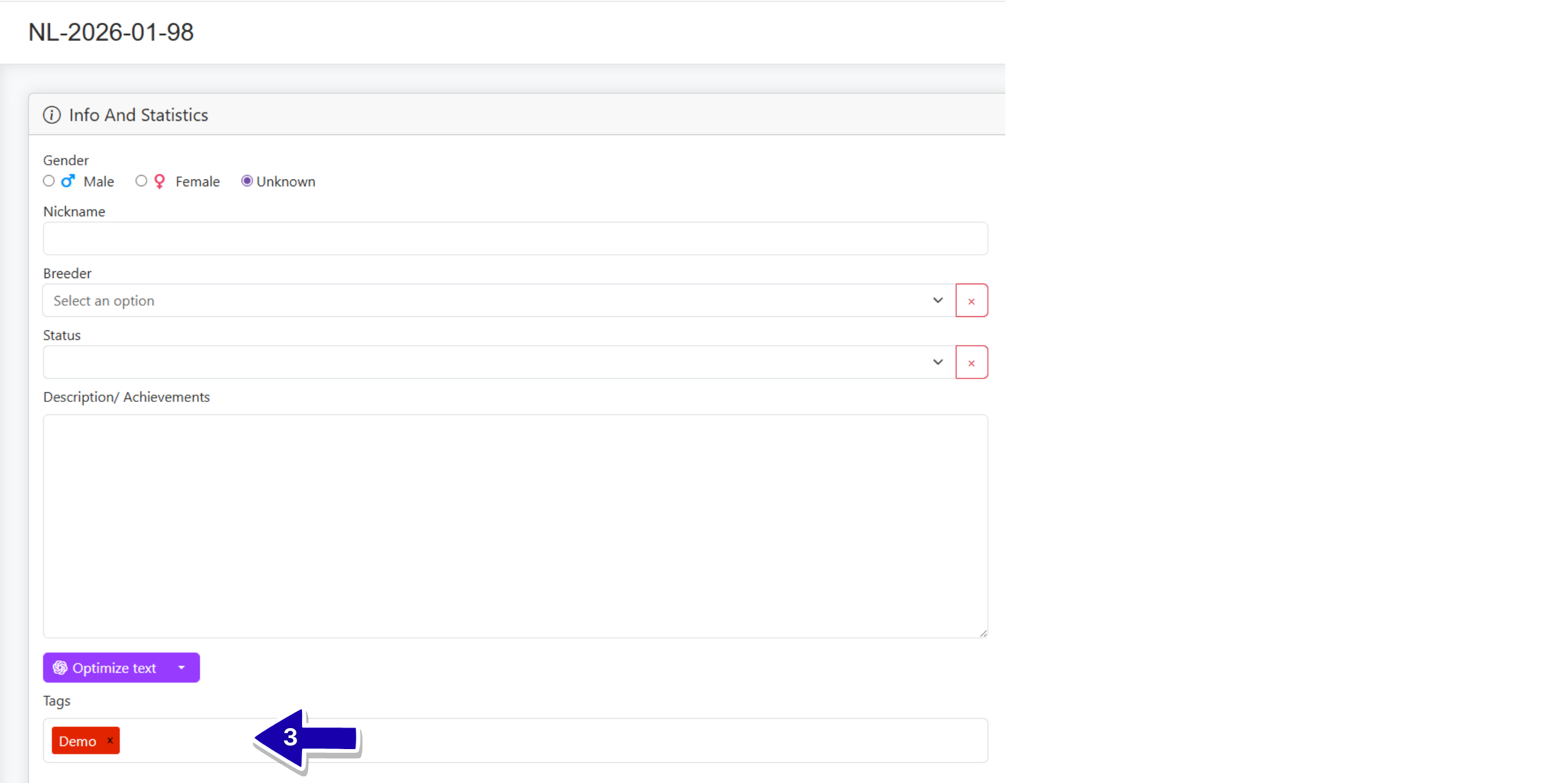
In the bottom-left corner of the “Info and Statistics” find the “Tags” field.
Start typing the name of an existing tag, and it will appear in a dropdown menu. Simply select it to assign it to the pigeon.
You can also create a new tag directly from this field by typing the full name. Later, you can edit this tag in the “Pigeon Tags” section.
Tags are synchronized across the entire app. This means that if you change a tag (for example, its color), the update will be reflected on all pigeons that use that tag.
You can assign one or multiple tags to a single pigeon.
Where Can I See Tags Assigned to a Pigeon?
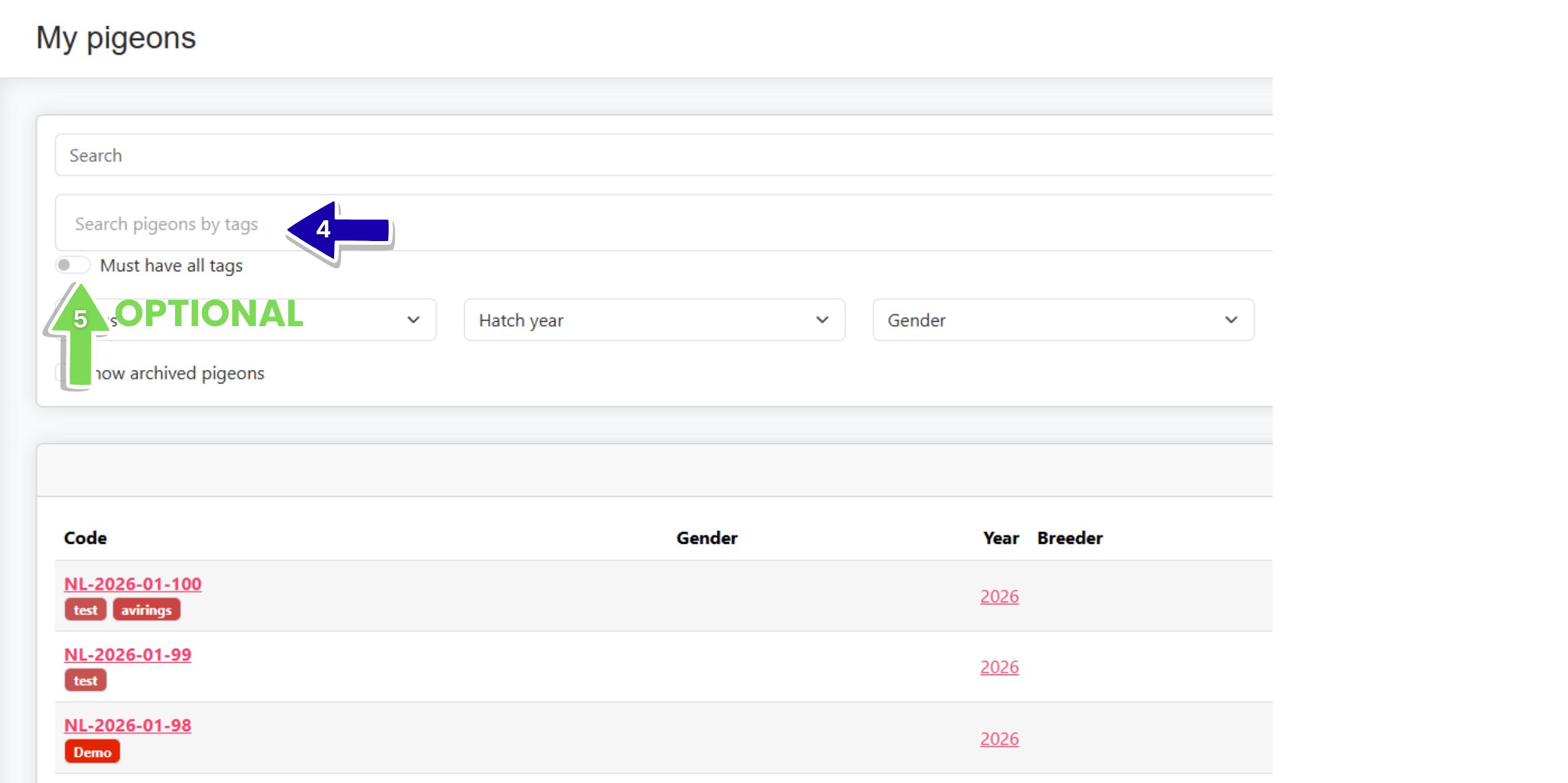
On the “My Pigeons” page, you can see all assigned tags displayed below each pigeon’s name.
How to Sort Pigeons Using Tags
At the top of the page, you’ll find search options. In the second search bar labeled “Search pigeons by tags”, simply enter a tag name.
The app will then display only the pigeons associated with that specific tag.
Why Use Pigeon Tags?
Pigeon Tags make it much easier to organize and navigate your data. Instead of manually searching through your pigeons, you can quickly filter and group them based on what matters most to you — whether that’s health status, location, or competition participation.
This gives you a clearer overview and helps you stay in control of your loft, especially as the number of pigeons grows.
Are you using Pedigree App on your phone? Watch the tutorial below.